What Postward actually keeps for you.
One fictional client, Harborline Projects, taken through a week of social work: the weekly brief, an approval, a revision, a permission date, the client report, a results import, the Prompt studio and the playbook. Every screen below is the real app, not a mockup.
1 minute 56 seconds · silent · 3.4 MB, nothing loads until you press play
The week arrives already in order.
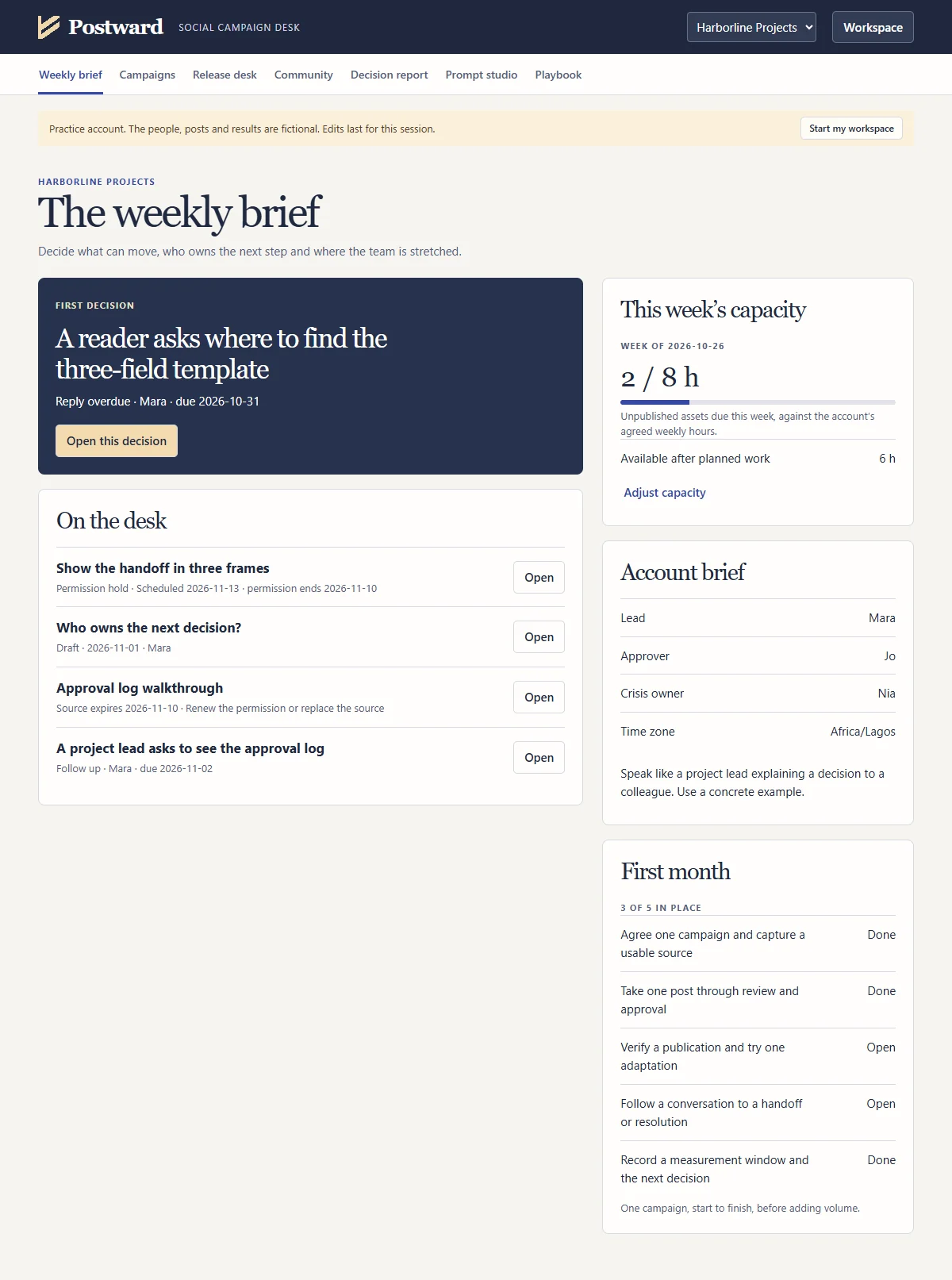
Harborline’s weekly brief opens on the decision due now: a reader question whose reply is overdue. Overdue replies come before release work, so Postward puts it first. Below it sit the posts waiting on someone, a post on permission hold and a source whose permission ends soon.
The brief also checks the hours. Two hours of planned work against the eight this client pays for, so you know before Monday whether the week fits.
- First decision
- Reply overdue
- This week’s capacity
- 2 of 8 hours
- On hold
- 1 post, permission
- First month
- 3 of 5 in place
Scroll the frame · weekly brief
Approval belongs to one exact version.
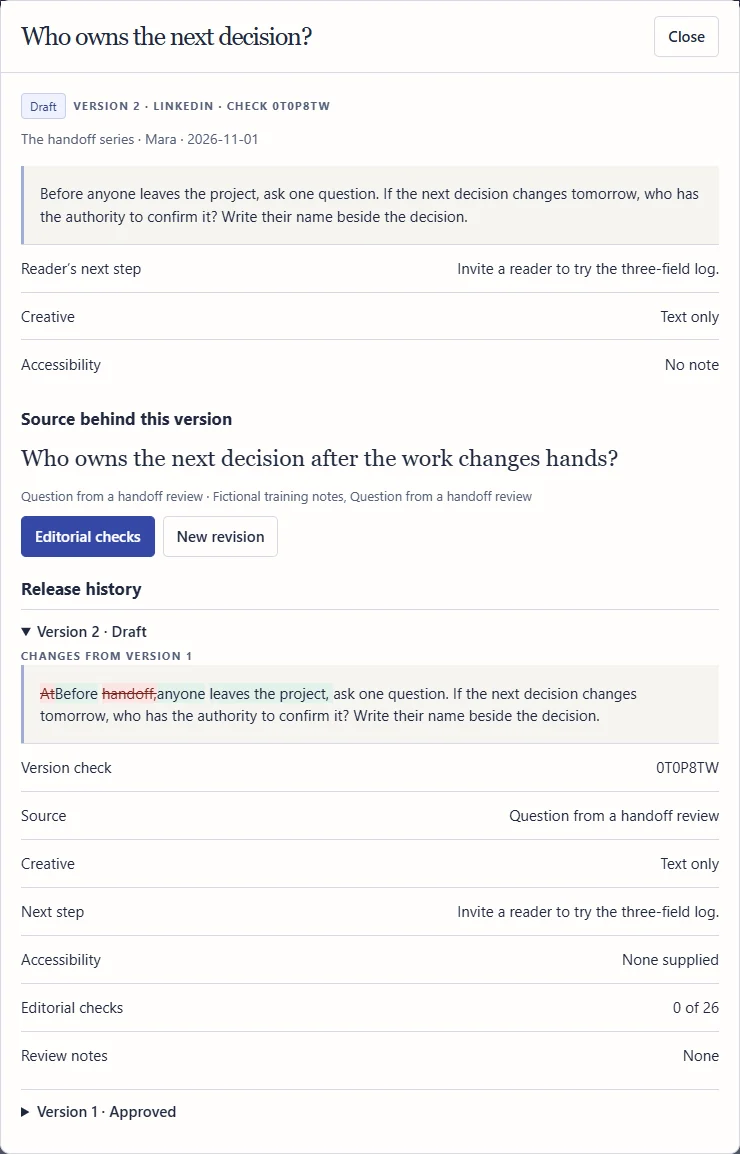
The post “Who owns the next decision?” is approved by Jo, the account’s designated approver, against check code 1JTDUJC. Then one line changes. The new version gets a new code and goes straight back to Draft.
Nothing is overwritten. Release history keeps version 1 with its approval and marks every changed word in version 2, so nobody has to argue about what the client signed off.
- Version 1
- Approved by Jo
- Version 1 check
- 1JTDUJC
- Version 2 check
- 0T0P8TW
- Version 2 status
- Back to Draft
Scroll the frame · post and release history
A schedule past the permission date is held.
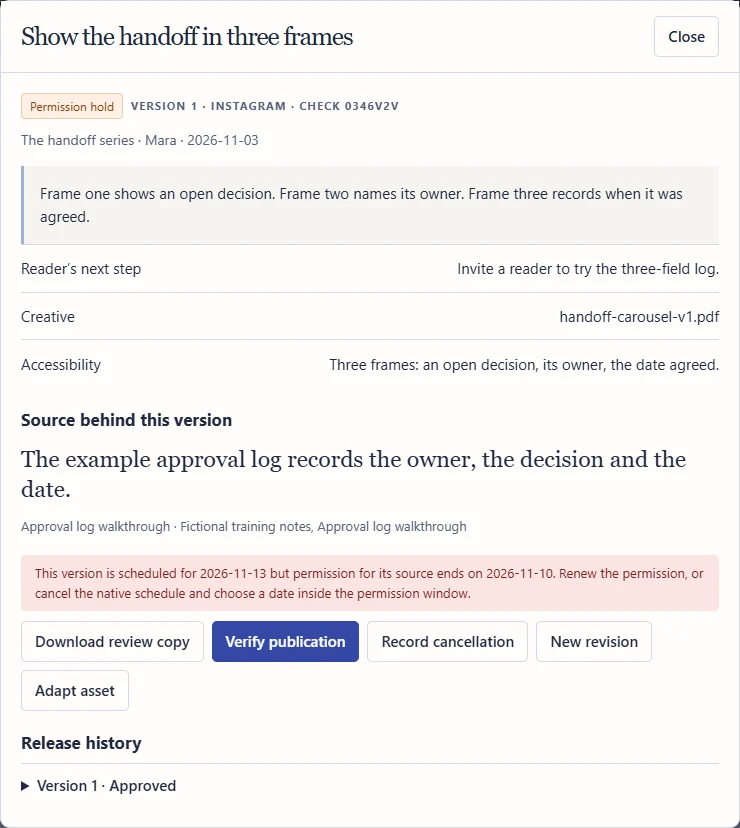
The carousel “Show the handoff in three frames” relies on a source the client cleared until 10 November. The publisher records a native schedule for 13 November. Postward keeps the confirmation as evidence, but puts the post on permission hold and names both dates.
The hold travels. It goes to the top of the weekly brief and the post is left out of the approved copy pack until the permission is renewed or the schedule moves inside the window.
- Permission ends
- 10 November
- Scheduled for
- 13 November
- Status
- Permission hold
- Approved copy pack
- Left out
Scroll the frame · post on permission hold
The client report ends in one decision.
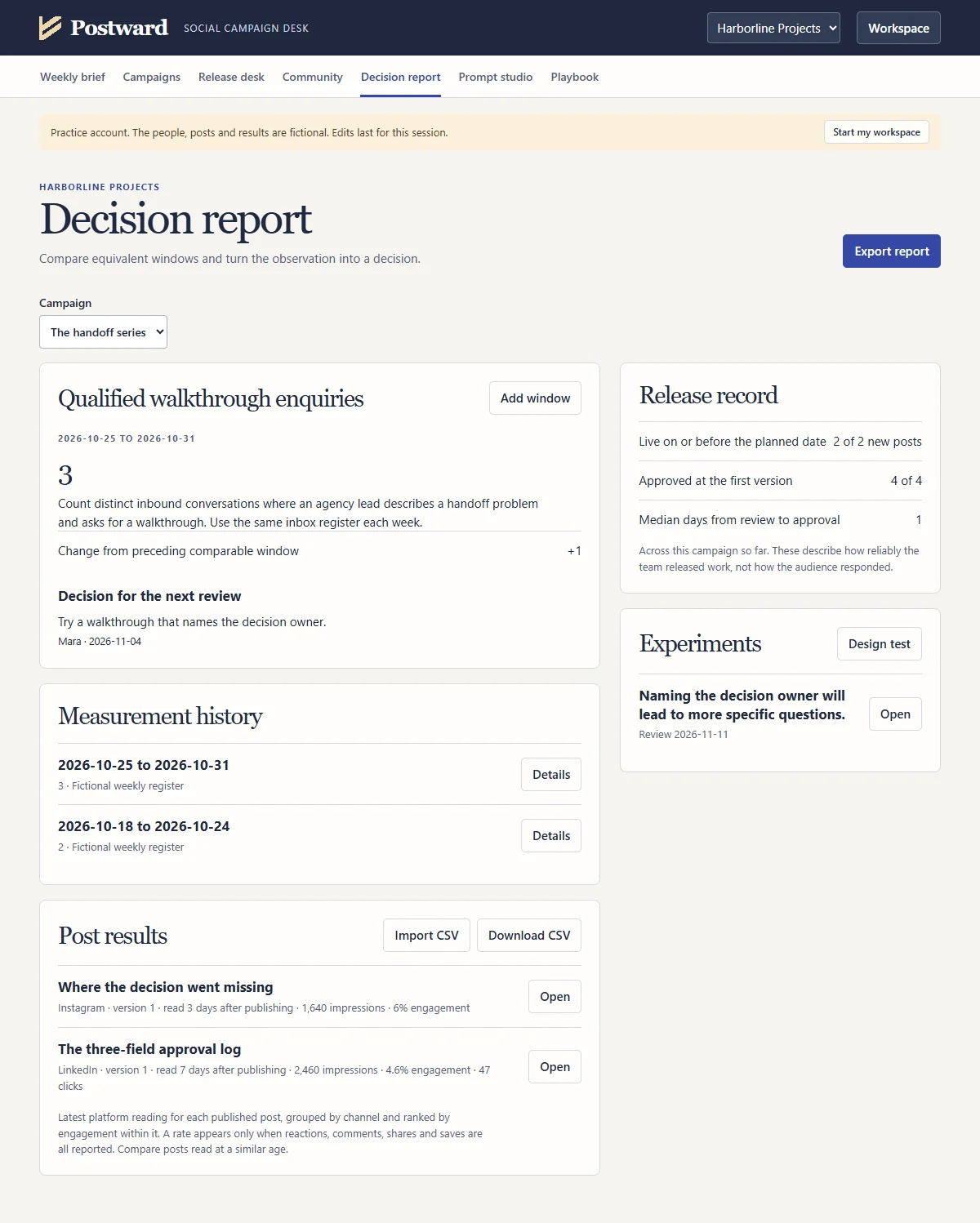
Harborline measures qualified walkthrough enquiries. Postward compares the latest week with the week before only because both windows are the same length and do not overlap. Otherwise the change would read Unknown.
The release record is the part clients remember. It shows how reliably the work went out: new posts live on or before the planned date, approvals at the first version and the median wait for approval.
- Qualified enquiries
- 3 this week
- Change, like for like
- +1
- Live on time
- 2 of 2 new posts
- Next decision owner
- Mara, by 4 November
Scroll the frame · decision report
Platform results, matched by live address.
Below the campaign measure, every published post carries its own results: impressions, reach, reactions, comments, shares, saves, clicks and views, each reading dated. Type them in, or import the CSV the platform exports. Postward matches rows to posts by live address, flags any row it cannot place with certainty and shows a preview before anything is saved.
The ranking answers the client’s favourite question. The Instagram carousel, read three days after publishing, reached 6% engagement. The LinkedIn post, read after seven days, reached 4.6% with 47 clicks. Postward shows the age of each reading so nobody compares a two day post with a two week one.
- Carousel, day 3
- 1,640 impressions
- Carousel engagement
- 6%
- LinkedIn post, day 7
- 2,460 impressions
- LinkedIn engagement
- 4.6%, 47 clicks
The post results box is at the foot of the decision report above
Twelve prompts that write themselves from your records.
The Prompt studio holds twelve jobs, from an evidence extractor and a strategy brief to a campaign builder, channel drafts, a design brief, a first pass against the 26 editorial checks, comment triage, a monthly diagnostic, an experiment plan and an executive summary. Choose one and Postward assembles the prompt from the campaign, sources, posts and results it already holds.
Client material stays under control. Only excerpts with separate AI permission go in, never their location. Campaign details enter only when you choose a campaign, and the prompts that need one ask you to choose. You copy the text into the tool your client allows. Postward sends nothing.
- Prompts
- 12, in six stages
- Shown here
- Campaign builder
- Source locations included
- Never
- Sent by Postward
- Nothing
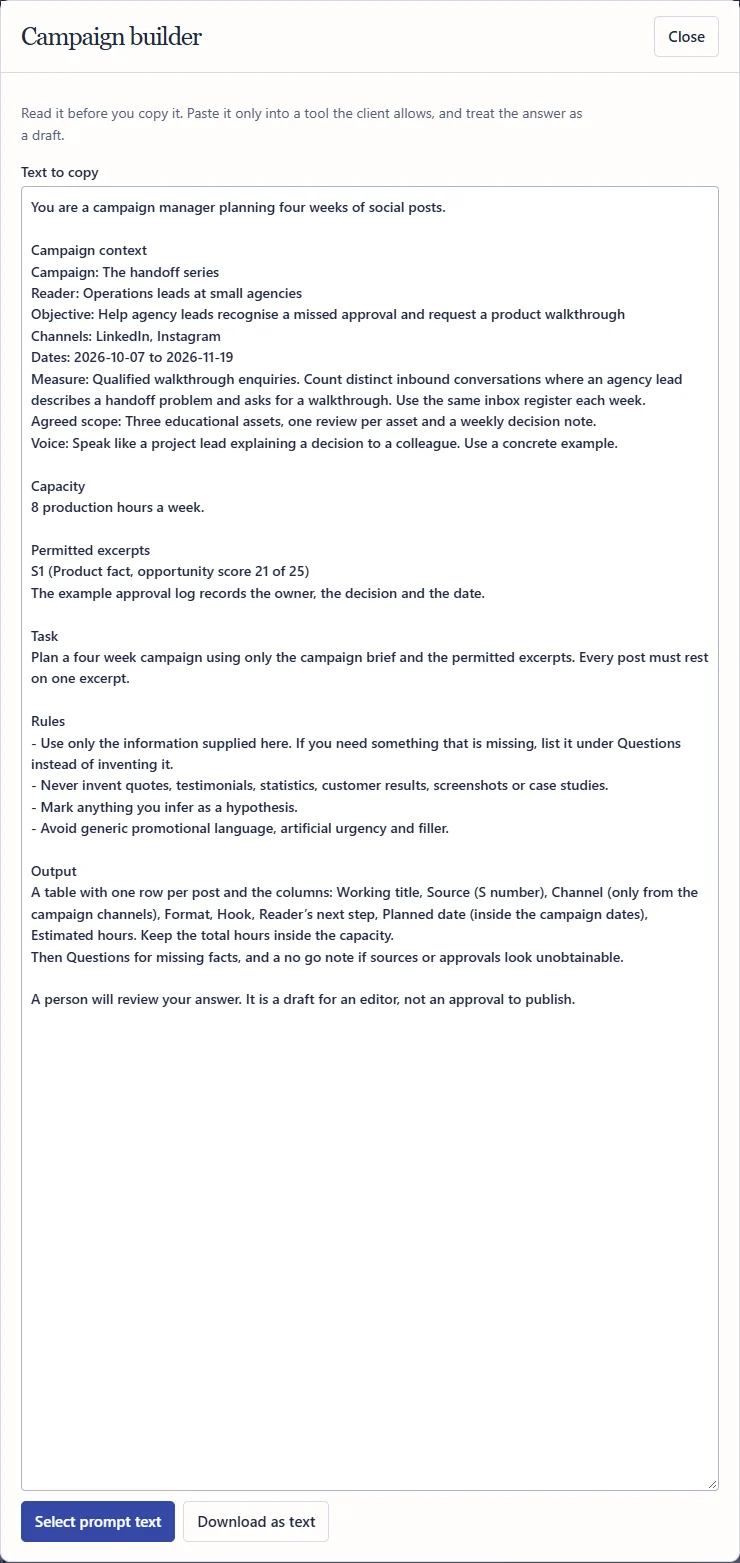
Scroll the frame · a prepared Campaign builder prompt
The playbook sits beside the work.
Twenty two chapters cover roles and decision rights, ten stages and the gate that closes each one, the first 30 days, the operating rhythm, a metrics dictionary, crisis and privacy rules, capacity planning and a definition of done. Each stage ends with a note naming the screen and the prompt that support it.
It is the method you can explain to a client. Download a copy to print or share with your team.
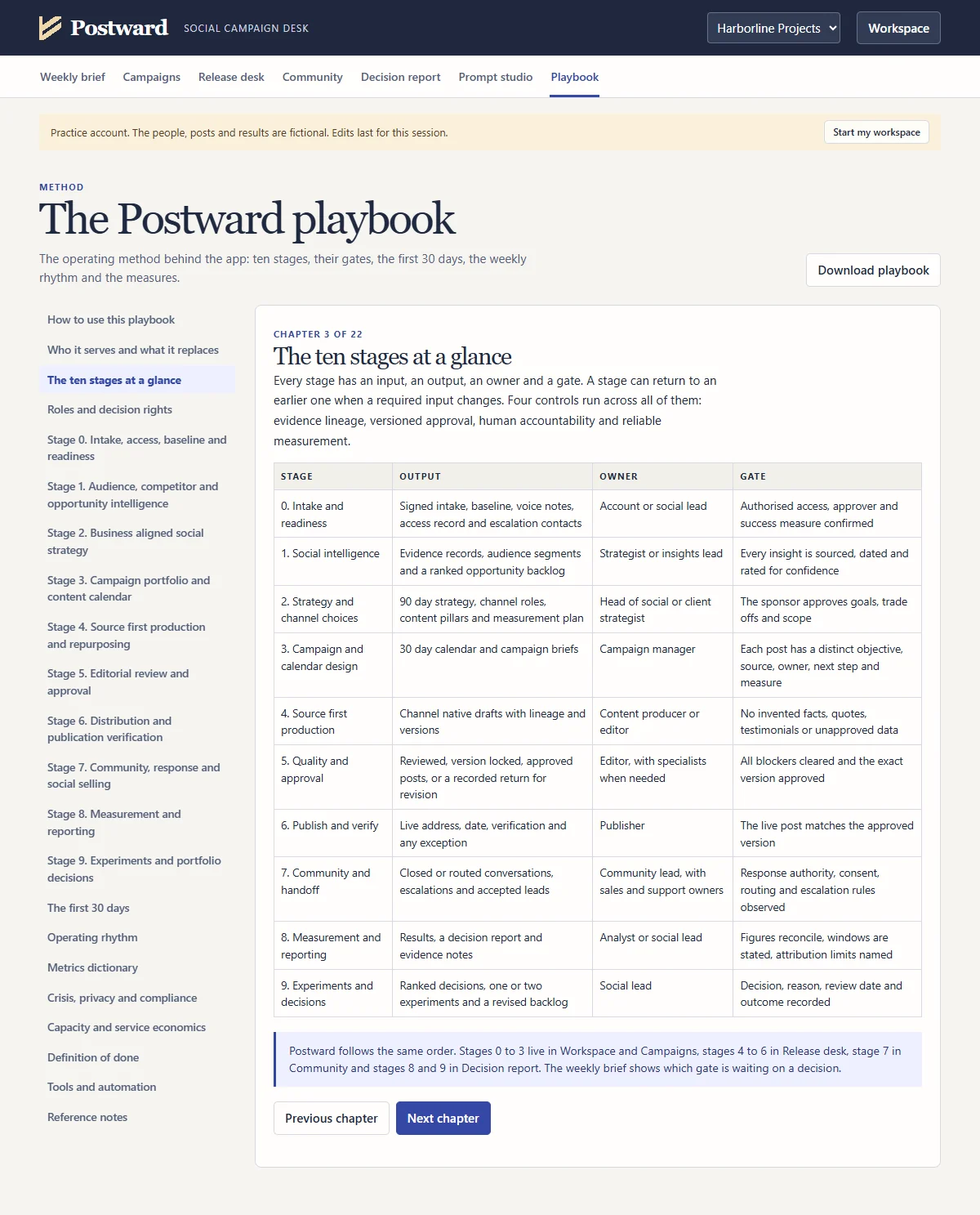
Scroll the frame · the playbook
What this recording is, and is not
- Harborline Projects is fictional. It is the practice account that ships inside Postward. No client data appears anywhere on this page.
- The screens are the real app. A script drove Postward in a browser and recorded it. The captions and the pointer were added on top. One post was approved before recording so that its schedule could be shown.
- Every figure was typed in or imported from a file. Postward does not connect to social platforms or analytics. The CSV in the recording is the practice template filled with fictional figures, and dates in the practice account move with the day you open it.
- Postward runs entirely in your browser. It makes no network requests, and client records stay on the computer it opens on.